Virtual patients for clinical education
Manage a case.See your decision process.
Take a patient history, examine findings and evaluate investigations. Develop diagnostic and treatment decisions within one case, then review your path through process analysis.
From the first question to a treatment plan
Apply clinical knowledge within a virtual patient case.
 Step 1
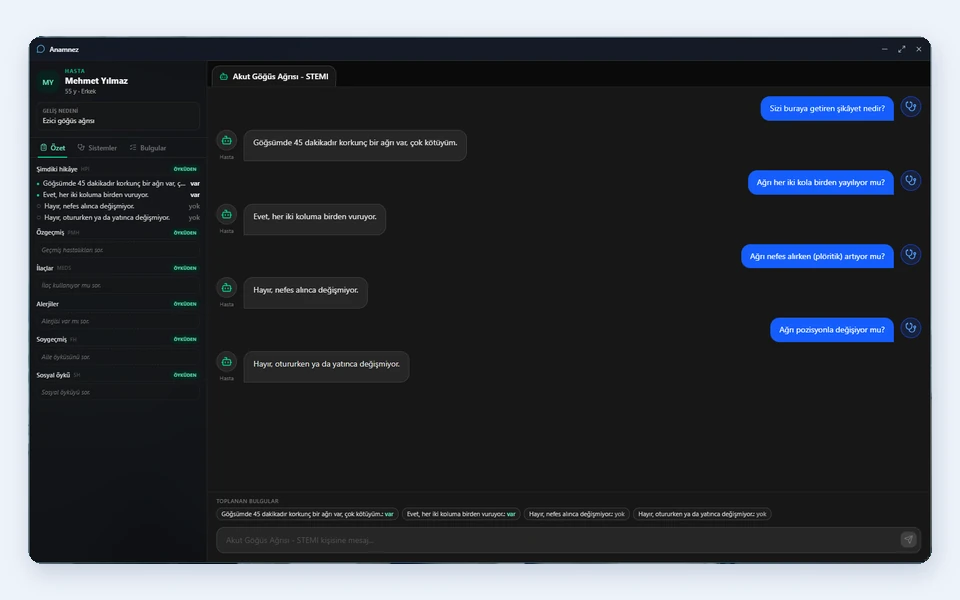
Take a history
Build the clinical context by exploring the presenting complaint, symptoms and patient history.
 Step 2
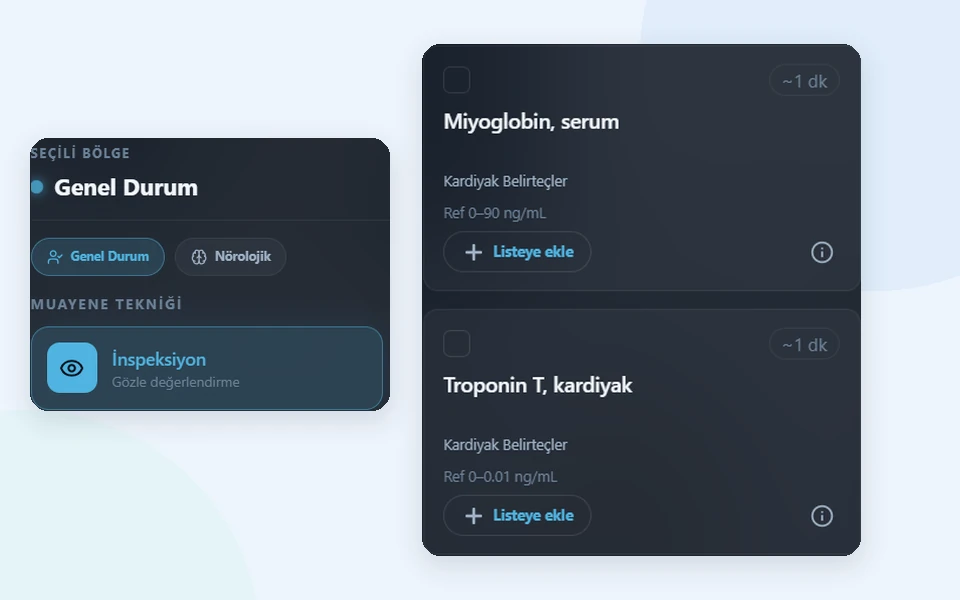
Examine and investigate
Review examination findings and consider laboratory and radiology requests in relation to your clinical questions.
 Step 3
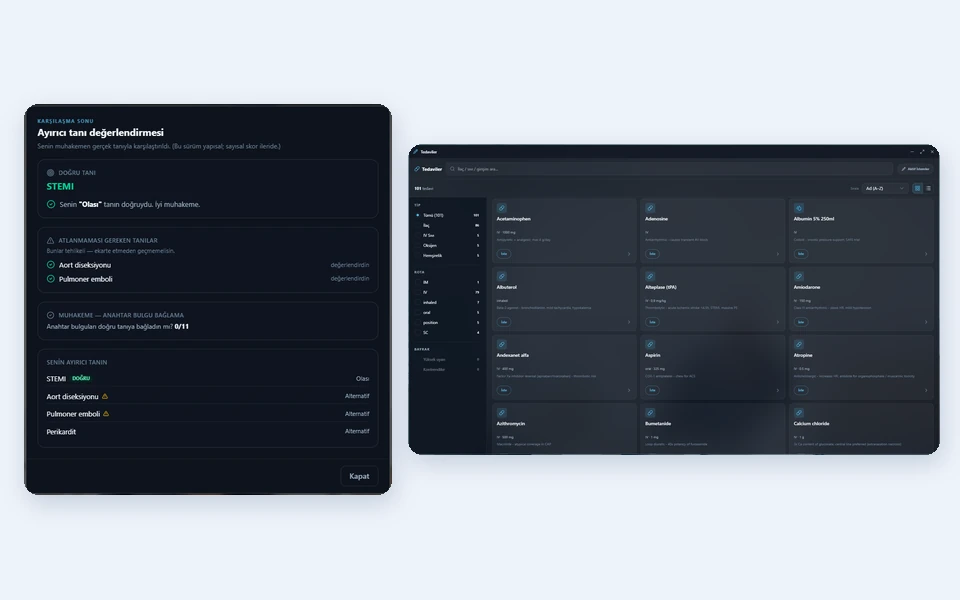
Develop diagnostic and treatment decisions
Bring the available information together, form a diagnostic approach and consider treatment options.
 Step 4
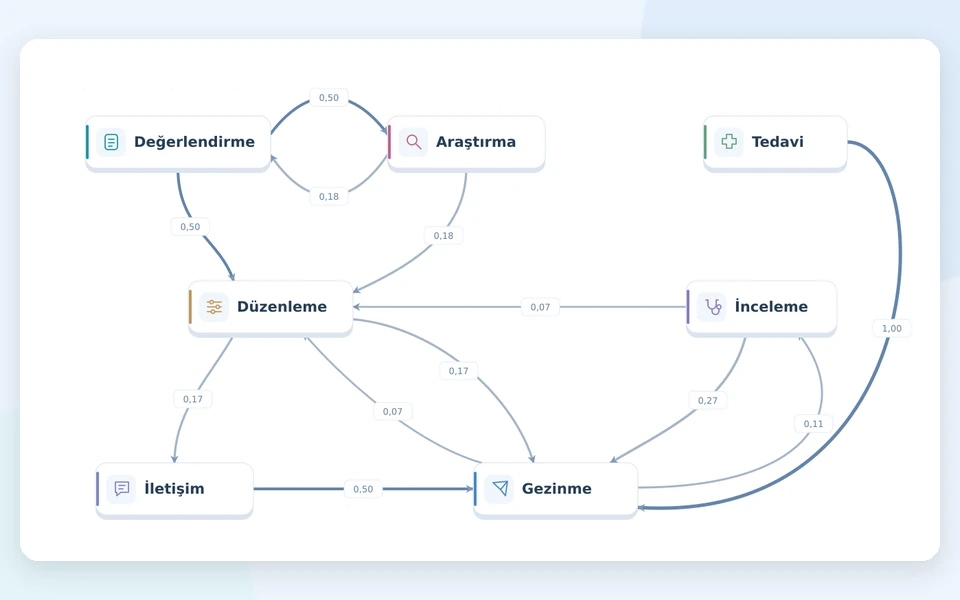
Review your path
Use process analysis to revisit the sequence of actions and the transitions between them throughout the case.
The patient and clinical tools in one workspace
Work through history taking, examination, investigations and treatment in the context of the case. At each stage, consider what information you need for the next decision.
Explore LivingPatient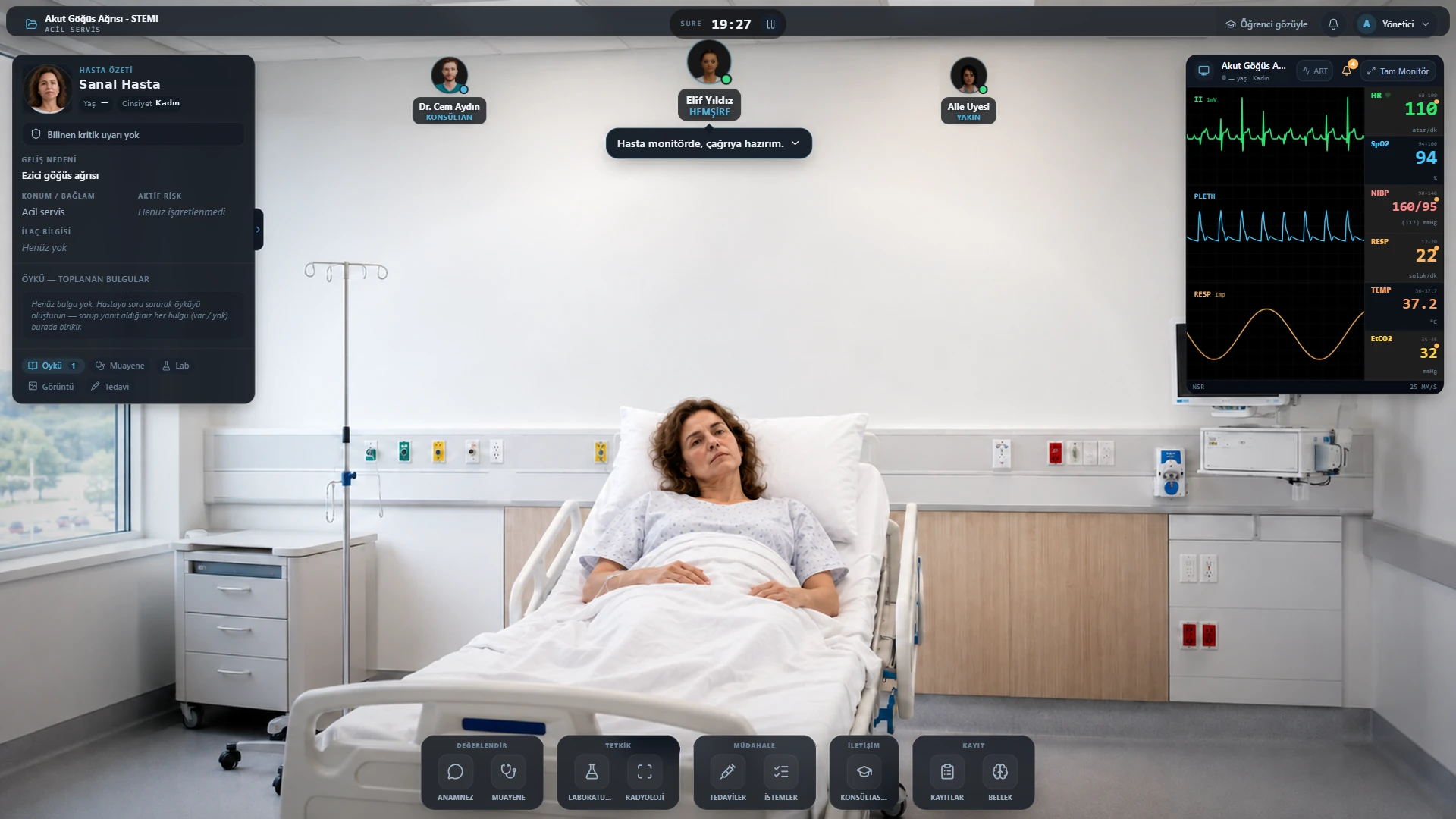
Clinical decision-making with virtual patients
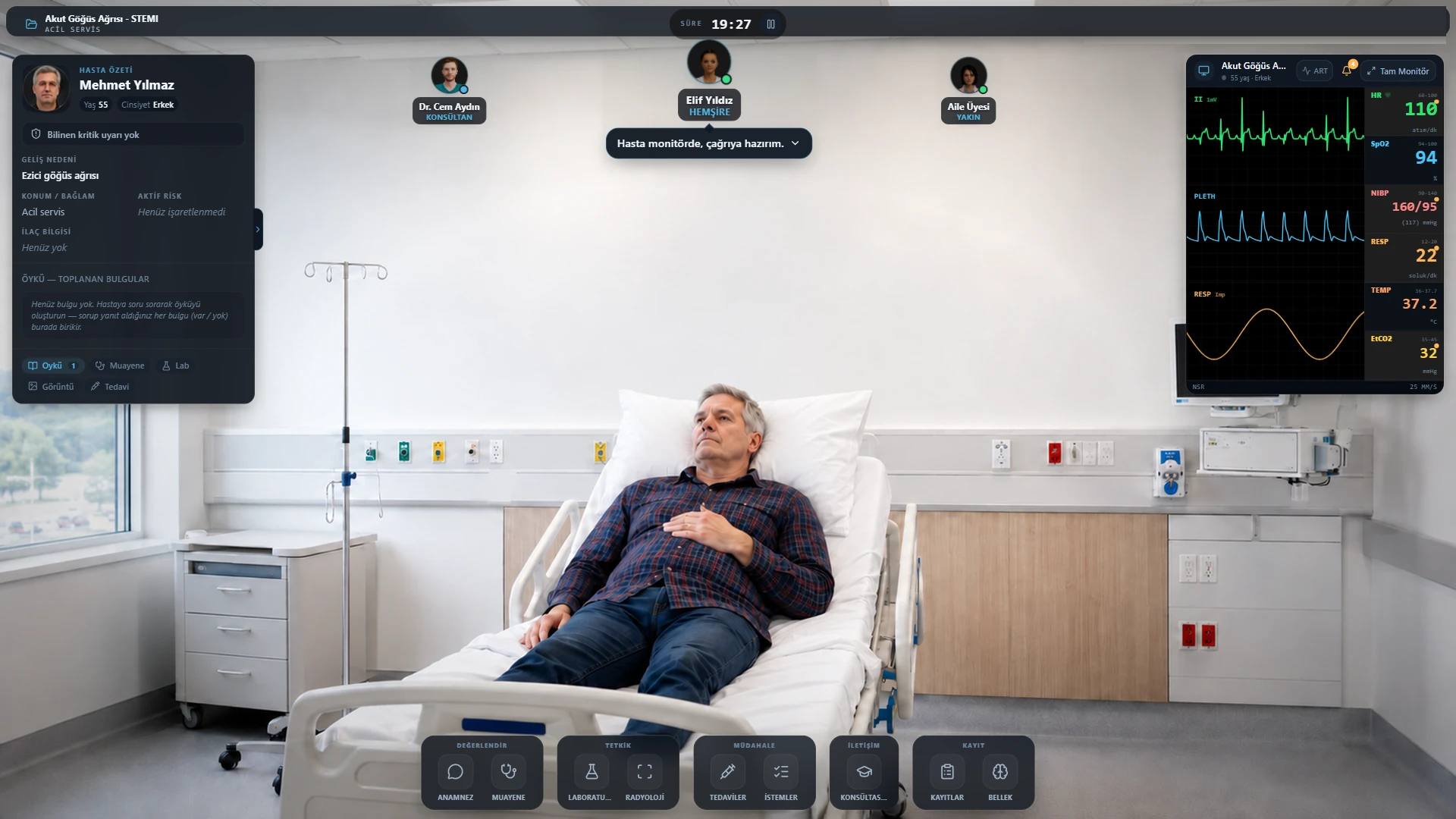
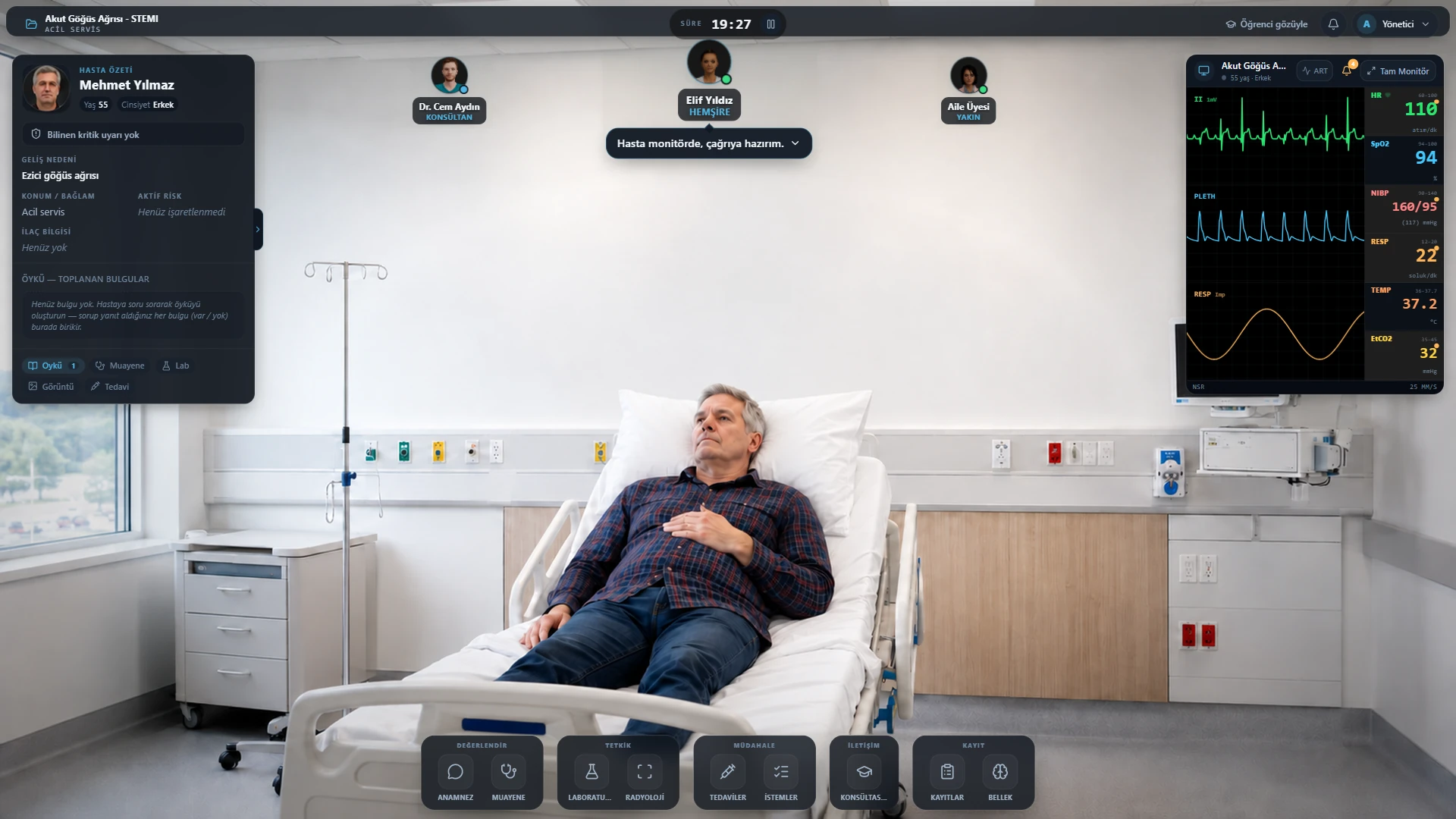
Virtual patient · clinical simulation environment
SimulationView the virtual patient alongside the clinical environment and monitor data.
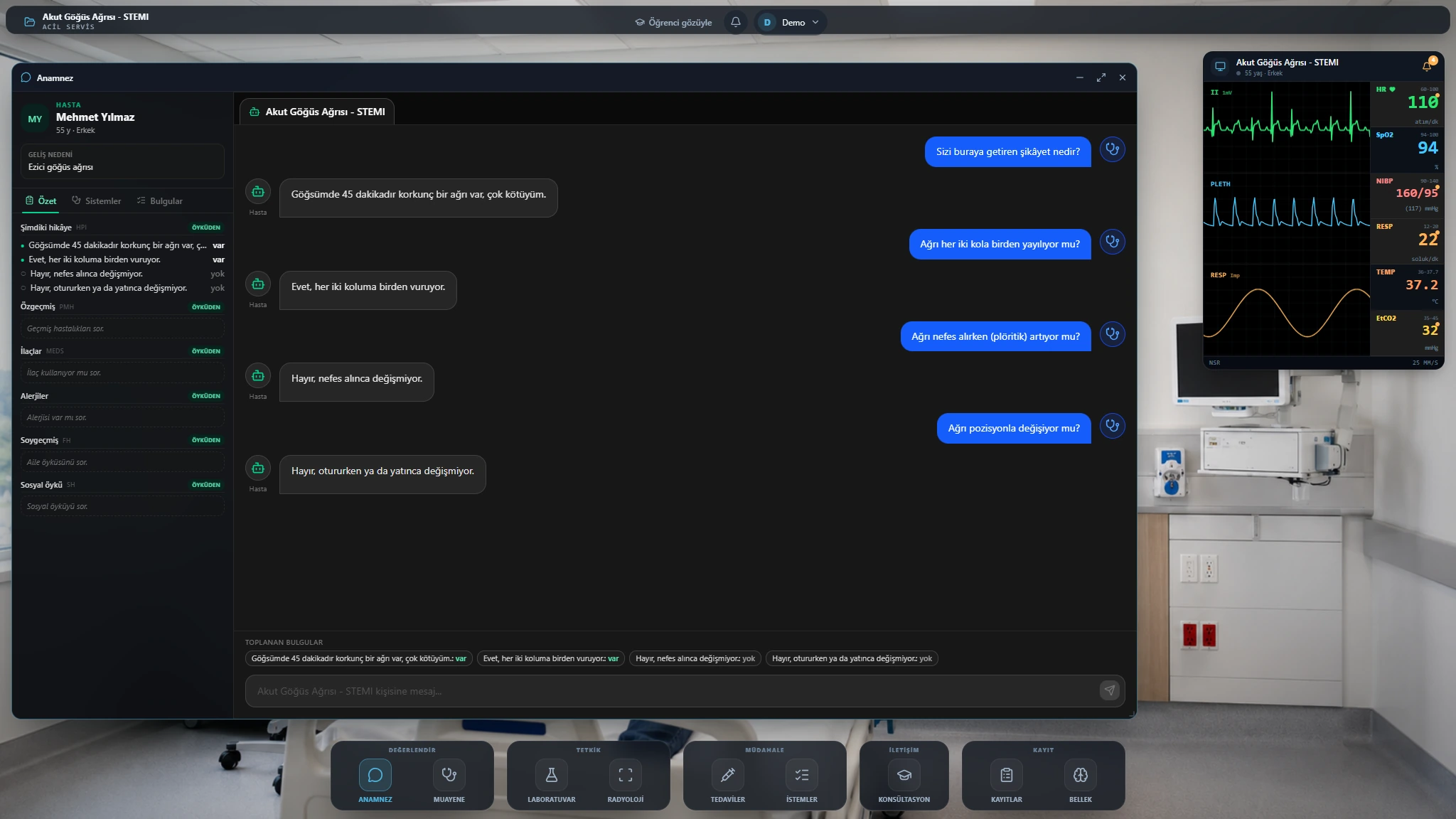
History taking · patient conversation and history panel
AssessmentTalk to the patient and follow the information gathered in the history panel.
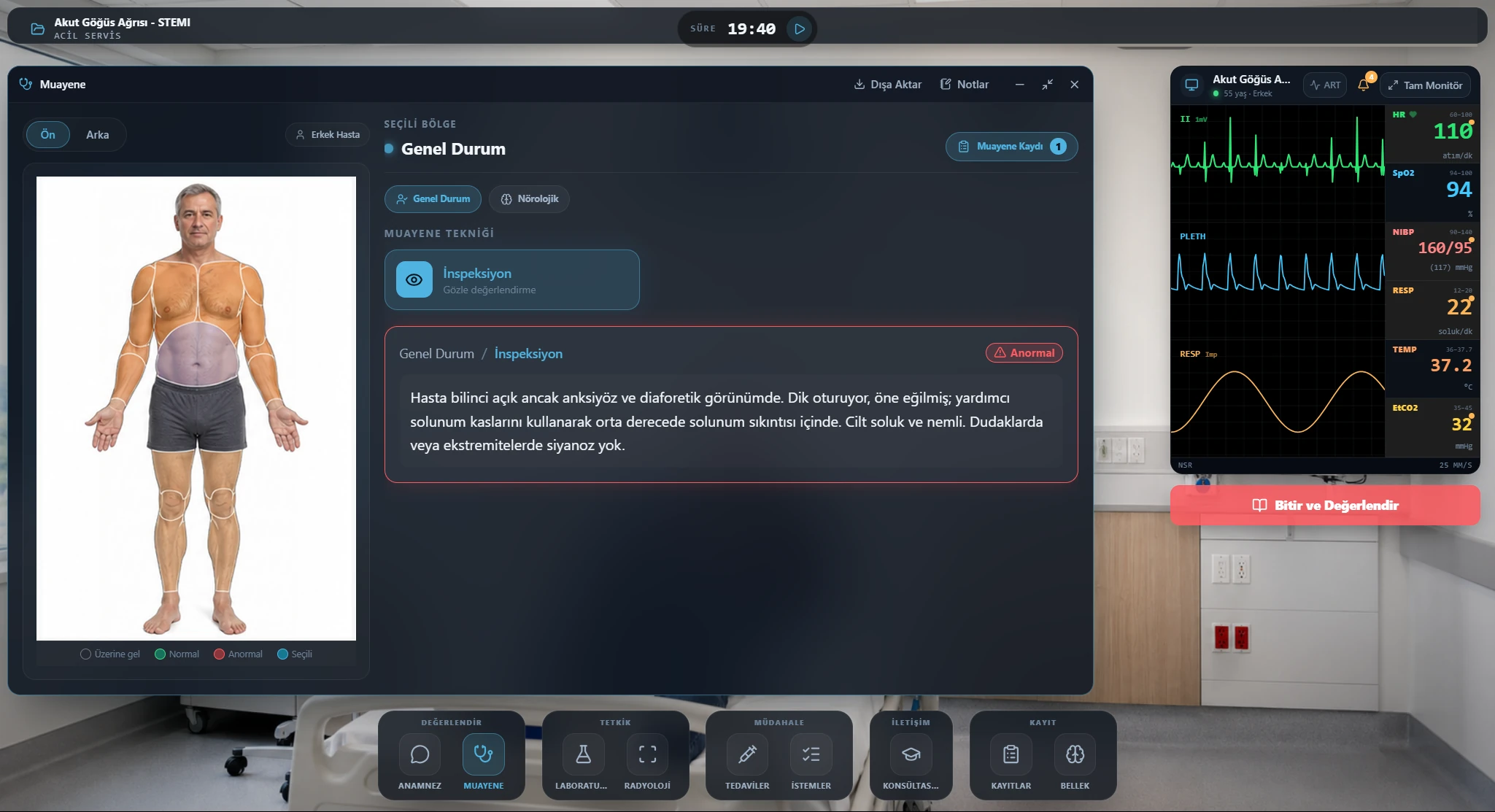
Examination · region and finding assessment
AssessmentAssess body regions and examination findings.
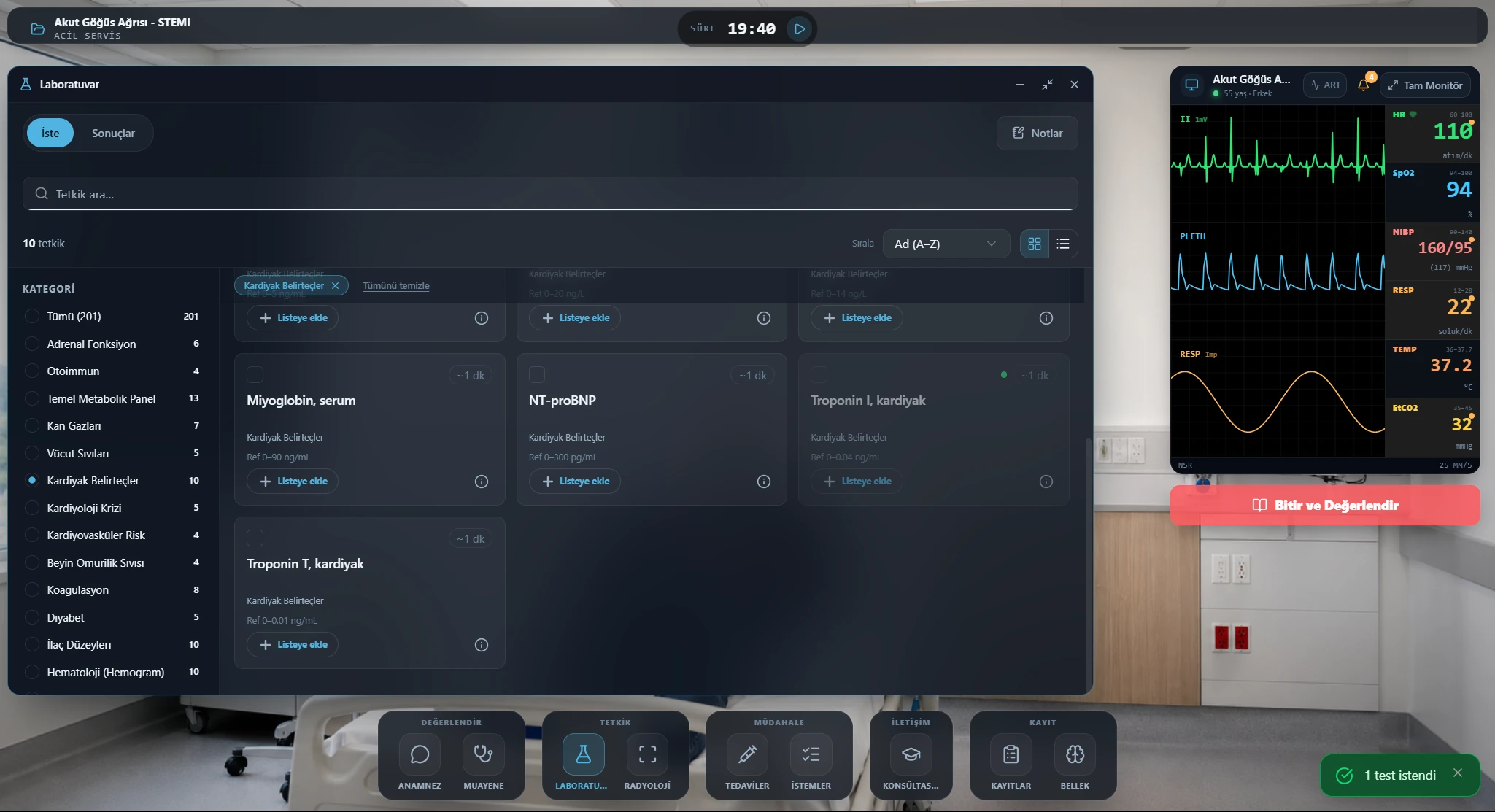
Laboratory · test ordering
InvestigationSelect laboratory tests for the case.
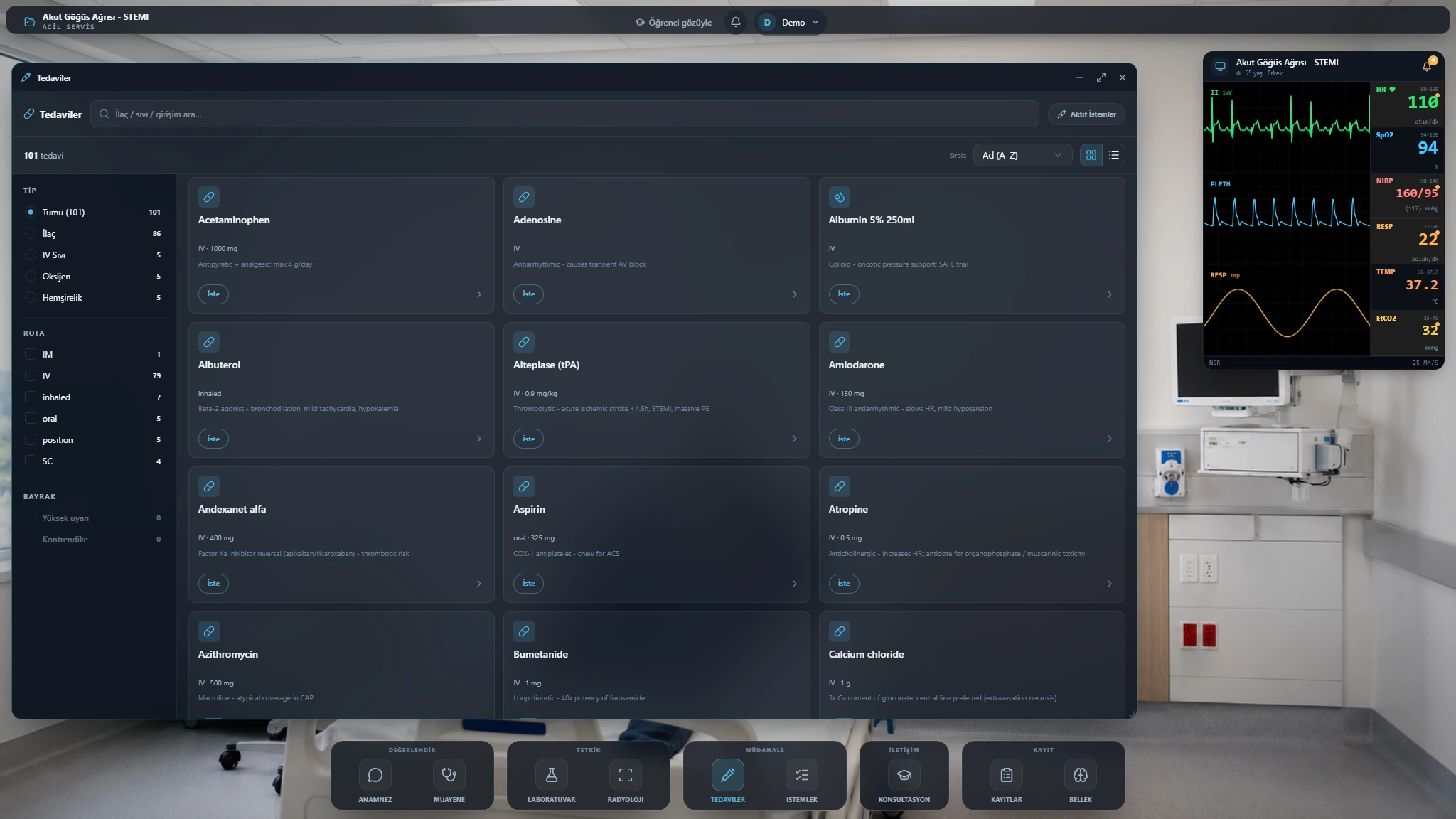
Treatment · treatment catalogue
InterventionSearch the catalogue and filter by type and route.
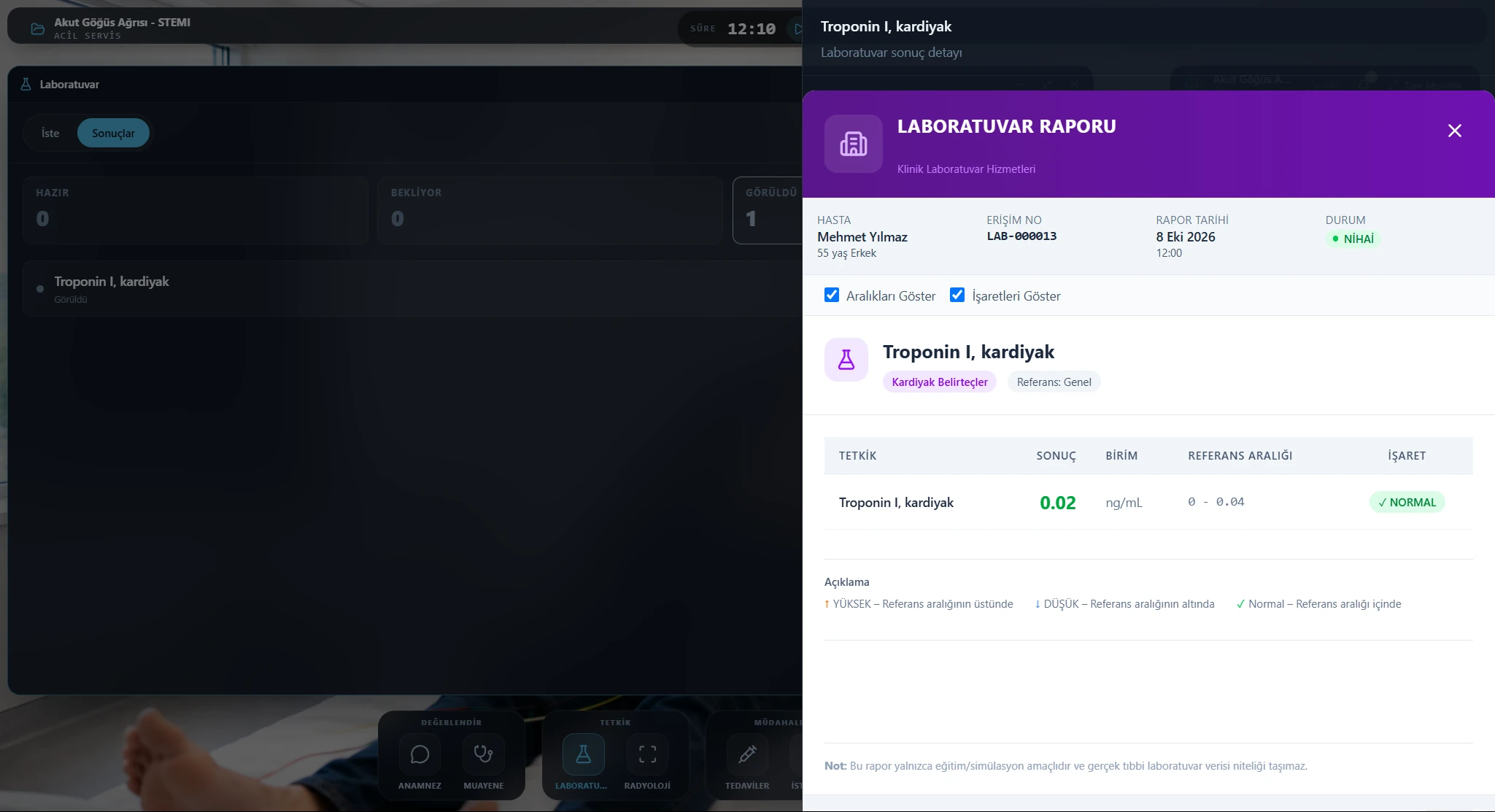
Laboratory · results and reference ranges
InvestigationReview results with units and reference ranges.
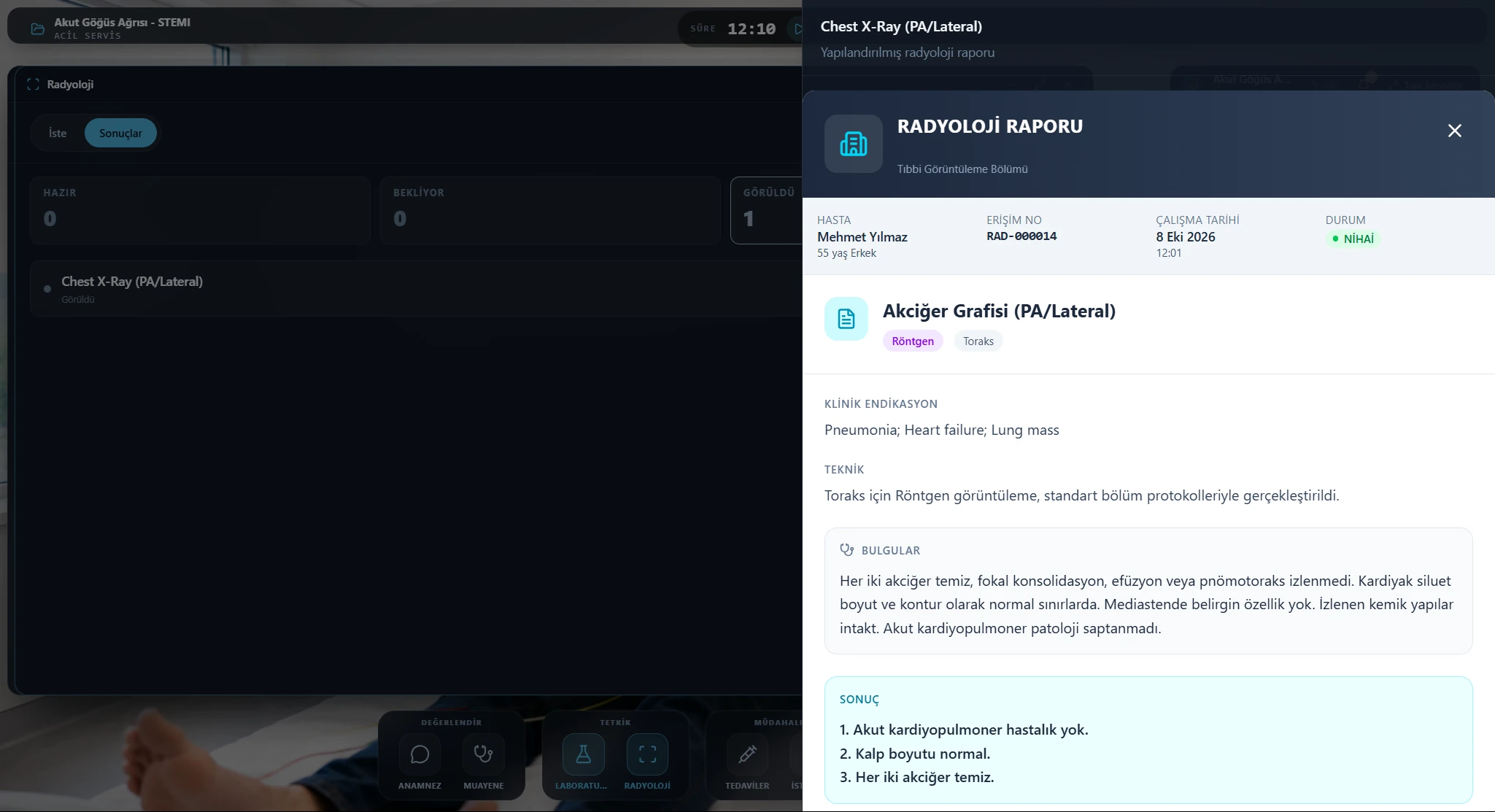
Radiology · structured report
InvestigationRead radiology findings and the report conclusion.
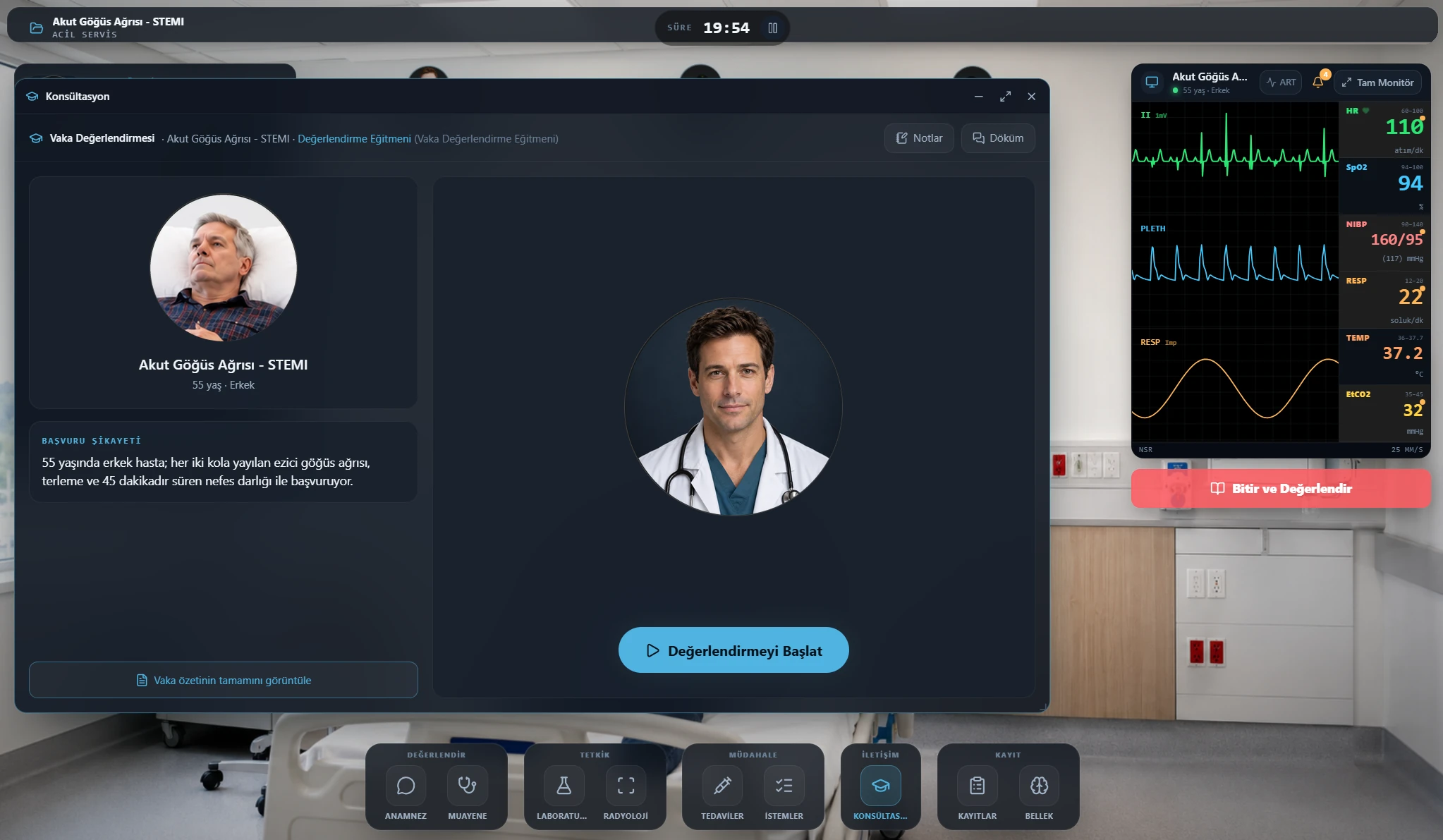
Consultation · case assessment start screen
CommunicationStart the case assessment from the consultation window.
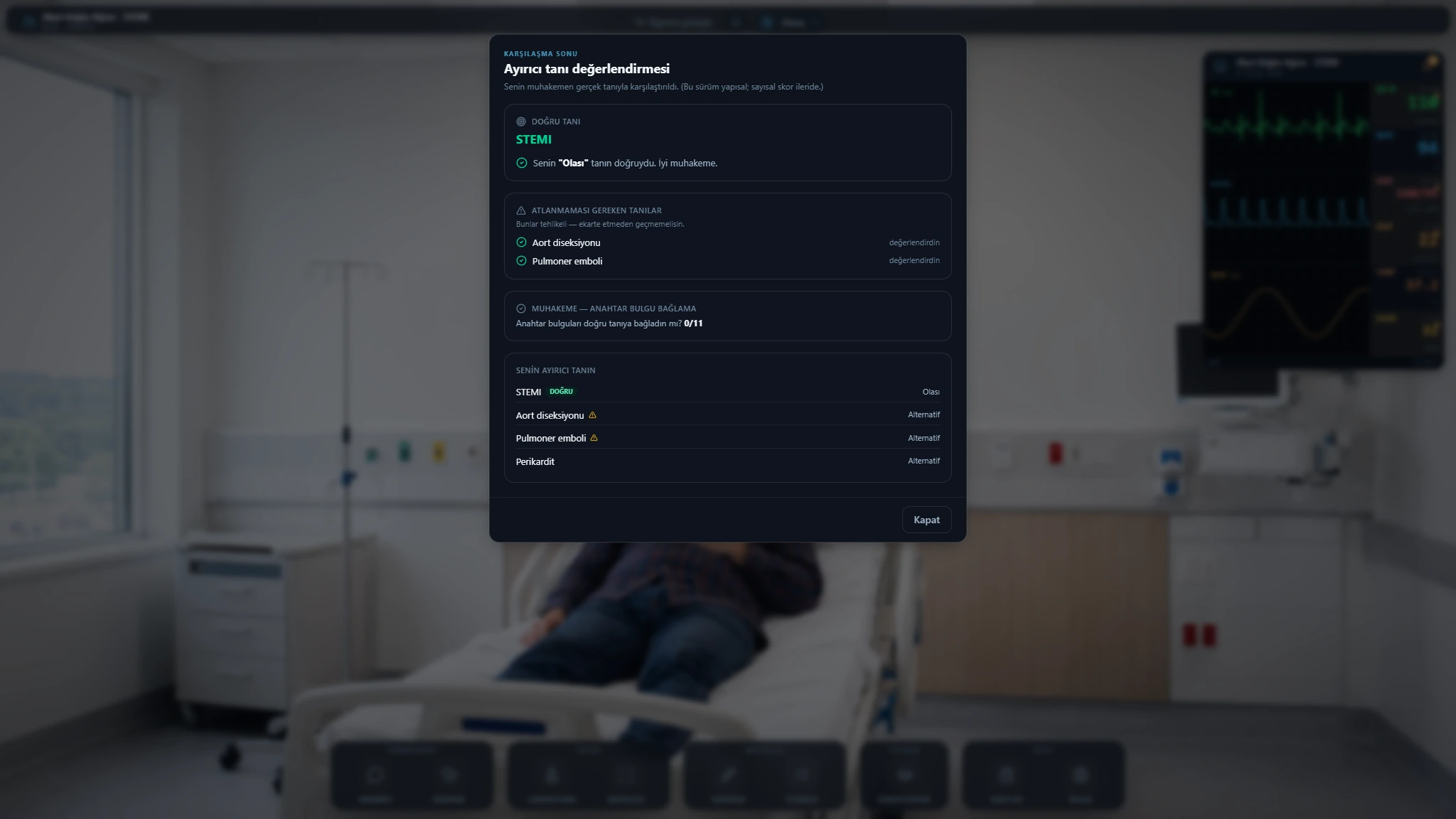
Diagnosis · differential diagnosis review
AssessmentReview likely and alternative diagnoses alongside the case diagnosis.
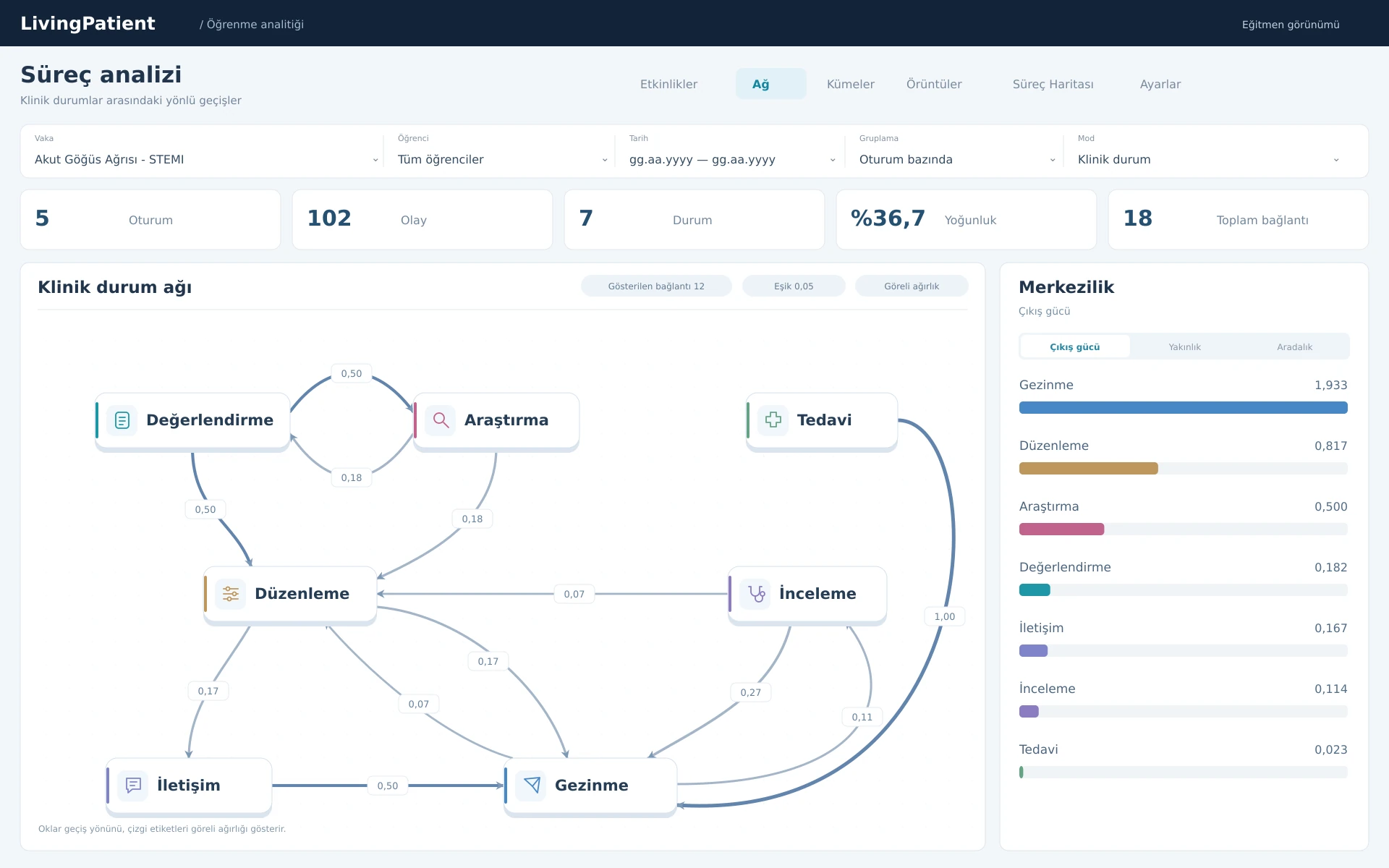
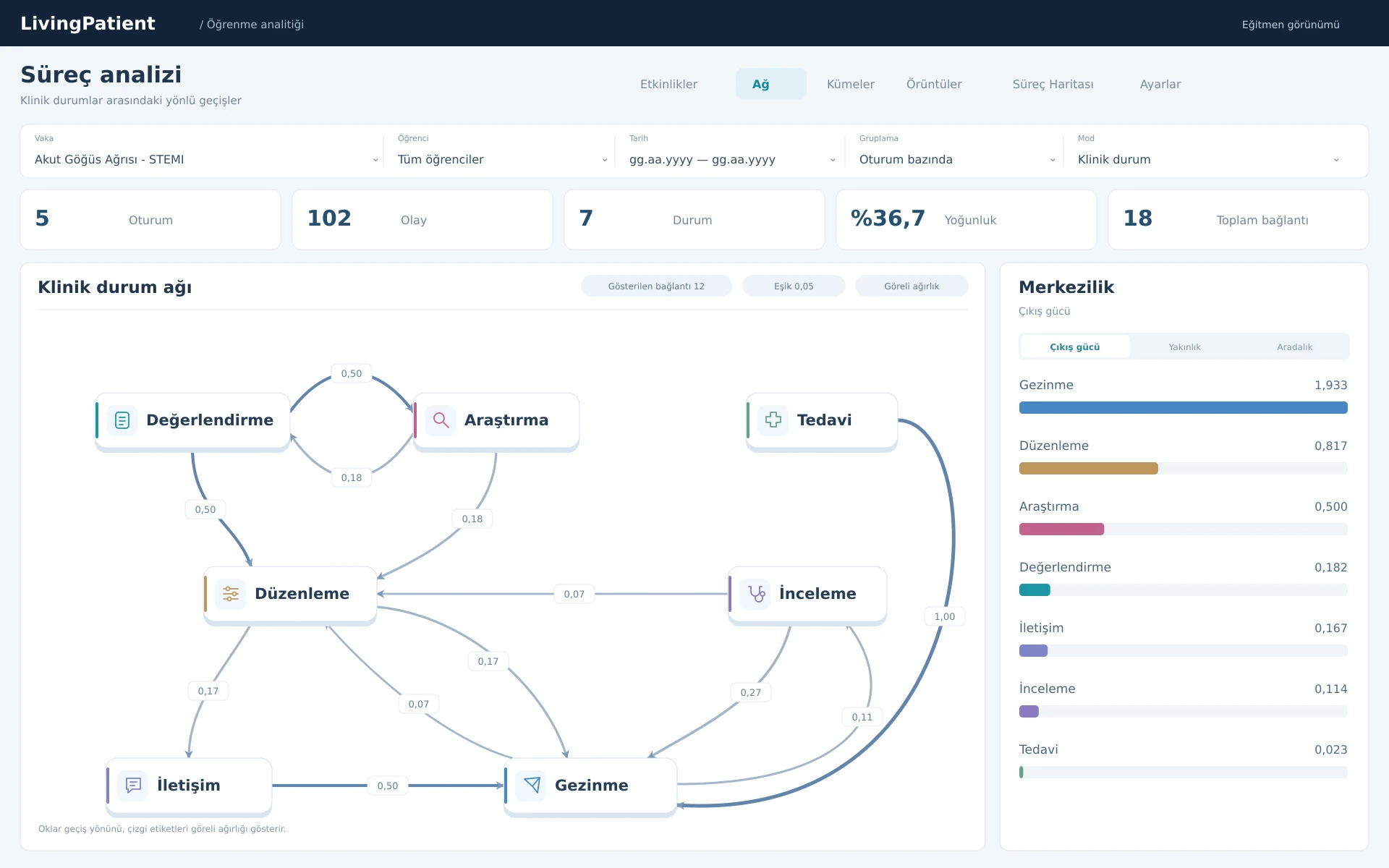
Process analytics · activity transition network
Learning analyticsExplore transitions between activities during the case.
Interface shown in Turkish.
See how you reached your conclusion
Process analysis makes the actions taken during a case and the transitions between them visible. Use the network view to examine which steps were revisited and how the clinical approach developed.
For case-based education
Students
Apply your knowledge to a case and examine the reasoning behind your decisions.
Educators
Discuss the stages of a case, the actions selected and alternative approaches.
Educational institutions
Consider how virtual patient work could fit within your curriculum.

Developed by Archeus
Archeus Teknoloji ve Yazılım A.Ş. develops software for anatomy learning and clinical education. LivingAnatomy XR focuses on three-dimensional anatomical models and scenes; LivingPatient focuses on virtual patient cases and the clinical decision process.
- LivingAnatomyXRInteractive Anatomy
- LivingPatientVirtual Patient Simulation